


Categories
- News (236)
- Support (262)
- OEM & ODM (10)
- Drivers & Tools (10)
- Instructions (29)
- Troubleshooting (44)
- Knowledge (97)
- Maintainance (8)
- Blog (90)
In any Windows POS system, the right hardware solution for Windows POS systems is the foundation of stable performance and a smooth checkout experience. Choosing the optimal configuration isn’t about chasing the highest specifications—it’s about finding the right balance of performance, reliability, and efficiency for your business environment.
When selecting a processor, many users tend to prioritize high-end specs. However, for POS applications, real-world suitability matters more than theoretical performance. Unlike desktop PCs, POS systems must prioritize reliability, low power consumption, and long-term stability. The CPU should be carefully chosen to balance computing performance and energy efficiency. This is a critical consideration when designing a complete hardware solution for Windows POS systems that can handle daily operational demands.
For instance, Intel® Core™ processors deliver strong multitasking capabilities, making them ideal for supermarkets, chain restaurants, and large retail environments where multiple applications run simultaneously. Meanwhile, Intel® Celeron®, J-series, and N-series processors offer lower power consumption and reduced heat output—perfect for small and medium-sized stores, cafés, and boutiques. In simpler POS setups, excessive CPU performance can actually lead to unnecessary energy use and higher thermal stress, without providing any real operational benefit. Carefully selecting the right CPU is essential for a reliable hardware solution for Windows POS systems.
Memory and storage also play a crucial role in system responsiveness and stability. Most Windows POS systems perform efficiently with 4GB of RAM, but for tasks such as inventory management, digital signage, or real-time synchronization, 8GB or more is recommended.
Solid-state drives (SSD) have now largely replaced traditional hard drives (HDD) in POS hardware. SSDs deliver faster boot times, higher resistance to vibration, and lower power consumption—ideal for POS devices that operate continuously throughout the day. At Sunany, all Windows POS systems come equipped with SSD storage, ensuring reliable and consistent performance across various retail environments. This approach reflects our commitment to providing a robust hardware solution for Windows POS systems that meets real-world retail challenges.
Choosing the right hardware solution for Windows POS systems means evaluating how each component works together to meet practical business needs. A well-matched configuration delivers fast system response, stable operation during peak hours, and efficient energy use throughout the day. Beyond performance, durability and long-term availability of components are equally important—especially for retail environments where systems are expected to run reliably for years.
At Sunany, every Windows POS solution is engineered with this balance in mind. From processor selection to cooling design and interface layout, we focus on delivering a complete hardware solution for Windows POS systems that ensures consistent performance, low failure rates, and seamless integration with mainstream POS software. With a well-built hardware foundation, your business can rely on Windows POS systems that runs smoothly, reduces maintenance costs, and enhances the overall checkout experience.
 DDR4 vs. DDR5 for POS Software: Which Is the Better Choice?
 Before a POS SSD Replacement, Prepare the Software Restore
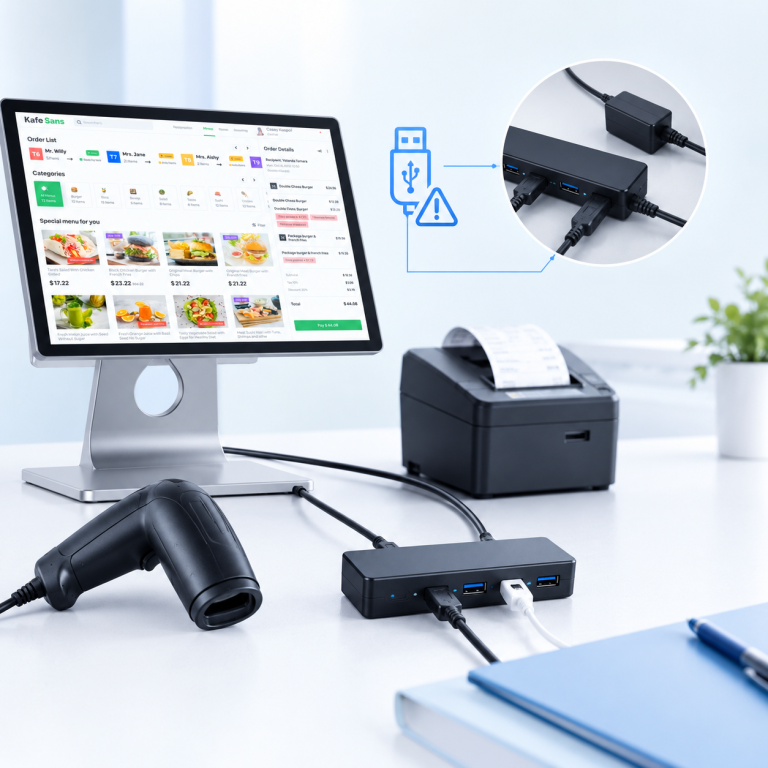 A Simple USB Hub Test for POS Device Disconnections
 Why Is Your POS Cash Drawer Not Opening
 Why Is a Thermal Receipt Printer Printing Blank Receipts