


Categories
- News (236)
- Support (262)
- OEM & ODM (10)
- Drivers & Tools (10)
- Instructions (29)
- Troubleshooting (44)
- Knowledge (97)
- Maintainance (8)
- Blog (90)
Many businesses tend to focus on the appearance, display, or performance specifications of a Windows desktop POS terminal while overlooking one crucial detail — the port configuration, which directly affects real-world usability. In fact, different industries and application scenarios require different types of ports. Understanding their functions helps businesses make more practical and future-oriented hardware choices.
Here’s an overview of the most common port types and their functions, as summarized by Sunany’s engineering team.
Common port types and their functions
1. USB ports
USB ports are the most essential and widely used on any POS terminal.
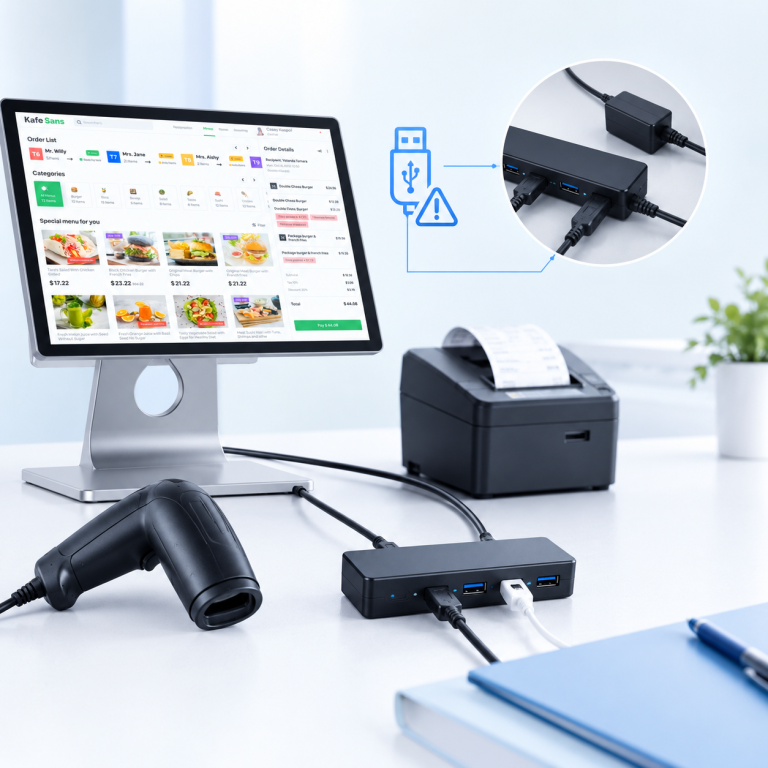
USB 2.0: Typically used for connecting barcode scanners, thermal printers, or cash drawers — stable and energy-efficient.
USB 3.0: Offers faster data transmission, ideal for connecting external storage or high-speed card readers.
When selecting a Windows desktop POS terminal, ensure it provides sufficient USB ports — at least 4 to 6 — to handle all necessary peripherals without constant replugging.
2. RJ45 Ethernet port
For high-traffic business environments, a reliable network connection is vital. A Gigabit RJ45 Ethernet port provides a stable, interference-free connection, ensuring real-time transaction and inventory updates. Wired connections remain the preferred option in restaurants, supermarkets, and retail stores.
3. Serial ports (RS232 / RJ50)
While many modern devices now use USB, some traditional peripherals still rely on serial connections. RS232 and RJ50 ports are ideal for connecting cash drawers, label printers, and weighing scales, maintaining stability and compatibility with legacy systems.
4. Display and multimedia ports
Type-C and HDMI ports allow connection to customer displays or advertising screens, enhancing checkout visibility and customer engagement. Audio ports can also be used for speakers or sound notifications, creating a more interactive service experience.
5. Other ports
Some models include PS/2 ports for legacy keyboards and mice, a CMOS Clear port for easy system maintenance, and a DC IN port to ensure a stable power supply during long hours of operation.
Recommended port configurations by industry
1. Hospitality and food service:
Restaurants often need to connect multiple devices — scanners, printers, cash drawers, and secondary displays. A Windows desktop POS terminal with at least six USB ports is ideal for such high-traffic environments.
2. Retail:
Retail operations require stable and fast network connections. Models with Gigabit RJ45 ports and a few USB connections are optimal. For stores still using older peripherals, RS232 support remains valuable.
3. Multi-purpose or chain stores:
Businesses that require both wired devices and multimedia displays should choose Windows desktop POS terminals with VGA or HDMI ports for dual-screen functionality, enhancing branding and customer experience.
At Sunany, we design POS terminals with real-world compatibility in mind. The Sunany E200 Windows desktop POS terminal is a perfect example — it offers a balanced mix of modern and traditional ports. It supports high-speed USB and Gigabit Ethernet for enhanced performance while maintaining RS232 and RJ50 interfaces for compatibility. This makes it an excellent choice for businesses that rely on multiple peripherals and operate in demanding retail or hospitality environments.
Ultimately, while port configuration may not be the most eye-catching specification, it directly impacts system stability and efficiency. At Sunany, we encourage businesses to select their Windows desktop POS terminals based on actual operational needs — not just on how many ports are available, but on how well those ports fit the workflow.
 DDR4 vs. DDR5 for POS Software: Which Is the Better Choice?
 Before a POS SSD Replacement, Prepare the Software Restore
 A Simple USB Hub Test for POS Device Disconnections
 Why Is Your POS Cash Drawer Not Opening
 Why Is a Thermal Receipt Printer Printing Blank Receipts