


Categories
- News (236)
- Support (262)
- OEM & ODM (10)
- Drivers & Tools (10)
- Instructions (29)
- Troubleshooting (44)
- Knowledge (97)
- Maintainance (8)
- Blog (90)
A receipt prints normally, but the cash drawer stays closed. In a POS system cash register setup, printing a receipt and opening the cash drawer are two separate operations. A successful print job does not guarantee that the drawer received the correct opening command.
Check the connection first. If the drawer connects to the receipt printer, make sure its cable is plugged into the printer’s designated cash drawer port. A USB cash drawer uses a different connection method, so the setup matters when troubleshooting.
Check how the drawer is triggered. In a POS system cash register, the application may send the opening command directly or rely on the printer driver. Some drivers also let you choose whether the drawer opens before or after printing. Check your software and printer documentation to confirm which method is supported.
Test the drawer separately. If the printer utility supports a cash drawer test, use it to see whether the drawer opens outside a normal sales transaction. If it works during the test but not at checkout, check the application’s drawer command and whether the payment method or transaction settings affect when the drawer opens.
If the drawer does not open during the test, check the lock position, cable compatibility and any physical obstruction. If these checks do not resolve the issue, further diagnosis may be needed.
For users troubleshooting a POS system cash register from Sunany, providing the POS terminal, printer and cash drawer models, along with the test result and connection method, can help our team narrow down the cause.
 DDR4 vs. DDR5 for POS Software: Which Is the Better Choice?
 Before a POS SSD Replacement, Prepare the Software Restore
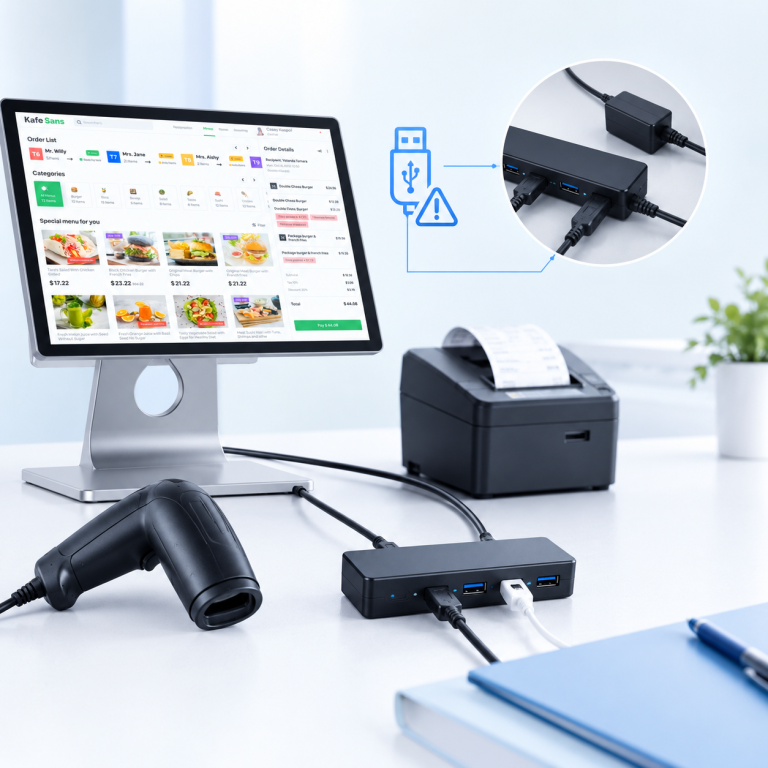 A Simple USB Hub Test for POS Device Disconnections
 Why Is Your POS Cash Drawer Not Opening
 Why Is a Thermal Receipt Printer Printing Blank Receipts