


Categories
- News (236)
- Support (261)
- OEM & ODM (10)
- Drivers & Tools (10)
- Instructions (28)
- Troubleshooting (44)
- Knowledge (97)
- Maintainance (8)
- Blog (89)
When a USB device connected to a POS terminal keeps disconnecting, the cause may be the device itself, its cable, the terminal port, or the USB hub it shares with other equipment. On a point of sale device, checking how peripherals are connected is a useful first step in troubleshooting.
During a maintenance window, disconnect the affected device from the hub and connect it directly to a compatible USB port on the POS terminal. Use the correct cable, then repeat the task that normally causes the disconnection.
If the device works reliably when connected directly, the hub setup is worth investigating. This includes the hub itself, its cables, power supply, and connections to the terminal. However, this test narrows down the possible causes rather than confirming that the hub is faulty.
If the problem appears to be related to the hub setup, check a few basic points:
Power supply: If the hub requires external power, make sure it is connected and that the adapter meets the hub manufacturer’s specifications.
Cable connections: Check that the cable between the hub and terminal is secure, along with the connections to individual USB devices.
Cable routing: Look for cables under tension or plugs pulled sideways by tight routing, as these can contribute to intermittent connections.
Change one item at a time and repeat the same test. This makes it easier to identify which change affects the result.
If the disconnections continue, record which USB devices are connected, whether they share a hub, whether the hub uses its specified power supply, and what happens when the affected device is connected directly to the terminal.
These details give the technical support team a clearer starting point. At Sunany, this information can help us assess the connection setup and determine what to check next. When troubleshooting a point of sale device, knowing whether the issue occurs with a direct connection or only through a hub helps narrow down the next steps.
If the problem persists with a direct connection, continue checking the device cable, the terminal’s USB port, and the relevant software or driver settings. Where possible, test with a known-good compatible cable or another suitable port to help narrow down the cause.
Bypassing a USB hub is a diagnostic step, not a guaranteed fix. A controlled comparison helps isolate potential causes before any hardware is replaced. This approach can make troubleshooting a point of sale device more systematic and reduce unnecessary hardware replacements.
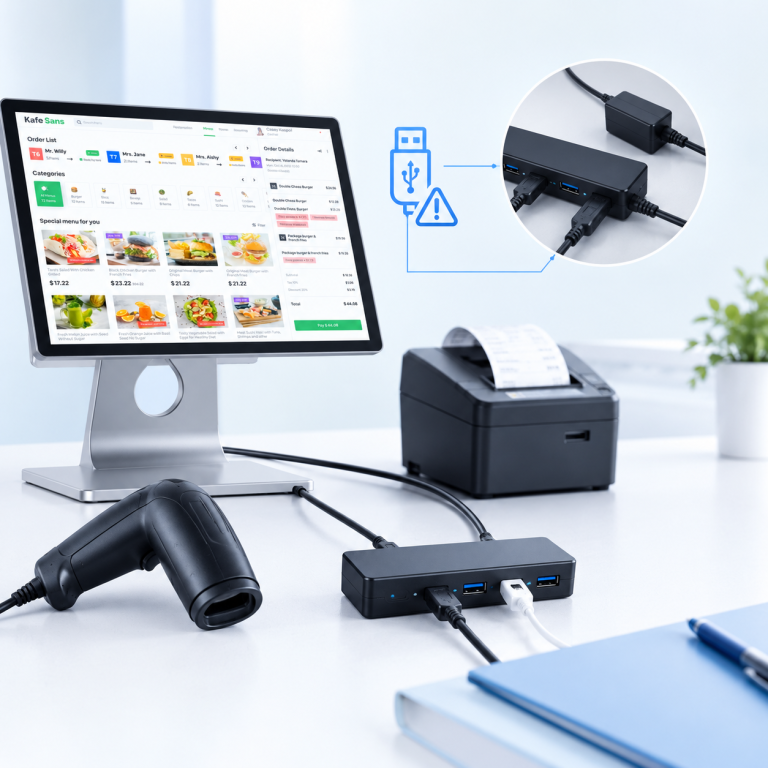 A Simple USB Hub Test for POS Device Disconnections
 Why Is Your POS Cash Drawer Not Opening
 Why Is a Thermal Receipt Printer Printing Blank Receipts
 What to Record When a Retail Checkout Terminal Restarts
 Why Are Entry-Level Intel Processors Getting More Expensive for POS